
What Is Google Maps SEO?
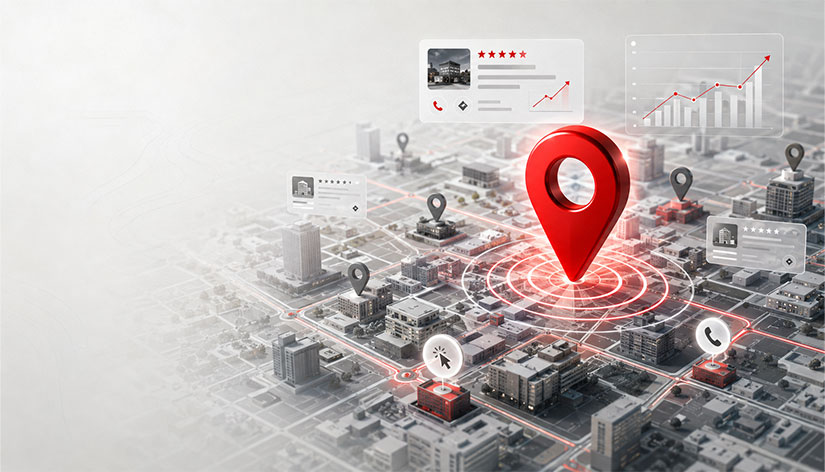
Google Maps SEO involves efforts to help a business rank highly for targeted keywords within Google Maps and local search results. A Google Business Profile, business details, categories, reviews, photos, and the website are fundamental components of this process. In a comprehensive SEO consultancy process, Google Maps optimization is treated as a crucial element of the local SEO strategy, particularly for businesses that operate from a physical location.
Google Maps Ranking Factors
In Google Maps rankings, factors such as the accuracy of profile information, reviews, categories, and especially business profile interactions are taken into account, alongside relevance, distance, and prominence.
Basic Algorithm Criteria
- Relevance: This refers to how well the business profile matches the user’s search. Accurate categories, services, and a business description are important in this regard.
- Distance: The distance between the searched location and the business’s address.
- Visibility: The extent to which the business is recognized on the internet, within its sector, and in its local area.
Key Optimization Factors
- Google Business Profile: Categories, services, business hours, photos, and contact information must be complete and up-to-date. A complete and verified Google Business Profile forms the foundation of SEO success.
- Customer Reviews: The number of reviews, average rating, recency of reviews, and responses provided are important for Google Maps rankings.
- NAP Consistency: The business name, address, and phone number must be written identically across Google Maps, the website, social media accounts, and business directories.
- Profile Interactions: Phone calls, requests for directions, website clicks, and booking actions are interactions users have with the business profile.
How to Do Google Maps SEO?
Google Maps SEO involves correctly setting up your business profile, keeping information up to date, organizing services and categories, managing reviews, and optimizing your website for local searches. You can strengthen your Google Maps profile by following the steps below in order. Depending on the level of competition, these efforts can also be carried out alongside the comprehensive SEO and GEO activities included in SEO packages.
1. Create Your Google Business Profile
If your business does not appear on Google Maps, create a new listing via Google Business Profile. If a Google Business Profile listing already exists, claim ownership of the existing listing instead of creating a second one. You can review details regarding the profile creation, ownership claiming, and verification process on the Create and manage your Google Business Profile page. When creating the profile, be sure to write the business name exactly as it appears on your signage, tax registration documents, and website.
2. Make Your NAP Information Consistent
NAP stands for business name, address, and phone number. List this information consistently across your Google My Business profile, website, social media accounts, and business listings.
If the new address appears on your Google Maps profile but the old address remains on your website, users could be directed to the wrong location. Be sure to update all platforms where your business is listed whenever your phone number changes.
Check the following fields:
- Google Business Profile
- Website contact and footer area
- Social media profiles
- Business directories
- Sectoral platforms
- Navigation apps
Establish a single format for neighborhood, avenue, street, and building numbers when writing addresses. Use the same method for all records.
3. Select the Right Business Categories
Select the main category that describes your business’s core activity, and add the other services you actually provide as additional categories.
For example, a veterinary clinic might use “veterinarian” as the main category, as it directly describes the veterinary activity. If the same business also offers pet grooming services, this area can be listed as an additional category.
Follow this order when selecting a category:
- Determine the business’s core service.
- Make the category that best describes this service the main category.
- Add other services as additional categories.
- Examine the categories used by businesses in the same sector.
- Do not use categories that are unrelated to the business.
Instead of adding a large number of categories, focus on options that accurately define your business.
Tip: Choose your primary category carefully when creating your Google Business Profile. Category changes made shortly after the profile is created may be viewed as suspicious by Google and could lead to the suspension of your listing.
4. Organize Your Service Areas
If you operate by traveling to your customers’ locations, add the cities, districts, or neighborhoods you serve to your Google Business Profile.
Businesses that provide on-site services—such as technical support, delivery, cleaning, plumbing, and the like—can specify the areas where they regularly operate. If you travel to customer locations in addition to having a fixed address, you can list your service areas alongside your business address. You can find detailed information about the profile structure for service-area businesses and how to define these areas on the Managing service areas on Google Business Profile page.
Select only the areas where you actually operate. Adding a large number of cities or districts will not boost your business’s ranking in those regions. Update the areas in your profile whenever your service area changes.
5. Enter Your Working Hours Accurately
Accurately enter your business hours applicable to weekdays, weekends, and special occasions—on your Google Maps profile.
Add details such as lunch breaks, night service, or 24-hour availability based on your actual operating schedule. If you provide on-call service, do not confuse this with being open continuously.
Update your special working hours if you operate at different times during holidays, public holidays, or special occasions. Users should not find your business closed when it appears open on Google Maps.
6. Edit the Business Description
In your Google Maps description, describe your field of activity, your service area, and your standout services using natural sentences.
You can mention your core service and your city or district in the first sentence. Instead of listing keywords one after another, distribute them throughout the text.
Example explanation:
Örnek İşletme operates in Kadıköy, providing computer repair, data recovery, and technical support services for individual and corporate clients.
In the description, you can also mention your area of expertise, the client group you serve, and your working style.
7. Add Your Services Individually
Add the core services you provide to the services section of your Google Maps profile individually, using the names customers use when searching.
The following headings can be used for a technical service business:
- Computer technical support
- Laptop screen replacement
- Data recovery
- Virus removal
- On-site technical support
Write a brief description explaining the scope of the service under each item. Use the specific names of the services instead of general terms like “Our Services.”
Do not repeat the city or district name in every service heading. Include location information only where it fits the flow of the description.
8. Upload Recent Photos
Upload up-to-date photos to your Google Maps profile that show your business’s exterior, entrance, interior, products, and workspaces. Use photos taken at your business instead of stock images. Photos of the signage, building entrance, and exterior, in particular, make it easier for people visiting your business via Google Maps to find the right location.
You can rename the file names based on their content before uploading the photos:
- kadikoy-computer-technical-service.jpg
- computer-repair-area.jpg
- example-business-exterior.jpg
Instead of names like IMG_4587.jpg, use phrases that describe the service or area shown in the image. Only use words related to the service and location if they are relevant to the photo.
9. Add Local Business Schema to Your Site
Define the business name, address, phone number, operating hours, and location details to search engines using the LocalBusiness schema.
You can add the Local Business schema to the homepage or contact page in JSON-LD format. The information in the schema must match the details in your Google Business Profile and the contact information on your website.
Include the following information in the diagram:
- Business name
- Address and phone number
- Website address
- Working hours
- Latitude and longitude information
- Business type
- Logo and images
- Social media accounts
Use the local business schema type appropriate for your business’s sector. Instead of the generic LocalBusiness type, you can choose a subtype that more accurately describes your business, such as Restaurant, Dentist, VeterinaryCare, or Attorney.
10. Share Google Maps Posts
Share your new services, promotions, changes in business hours, and latest announcements on your Google Maps profile.
You can naturally incorporate the service name and location information into your post text.
Example:
You can contact us to get information about laptop screen replacement in Kadıköy and to schedule an appointment.
Do not share only promotional content. Also create short content that answers frequently asked questions about your services.
11. Manage Google Maps Reviews
Respond to the positive and negative reviews on your Google My Business profile with brief, natural replies that address the content of the review. You can share the review link via message or use a QR code at your business location. Do not provide customers with pre-written review text, ask them to include specific words, or offer discounts or gifts in exchange for reviews.
Provide brief, natural responses to the positive and negative comments on your profile that are appropriate to the content of the comment. Thank the customer for positive comments. For negative comments, explain the situation without getting into an argument and invite the customer to contact you via phone or email for a detailed discussion.
12. Implement Local SEO Strategies on Your Website
Strengthen your local SEO efforts and boost your Google Maps visibility by organizing your website according to the regions you serve.
Create service- and location-focused pages, and include the business name, full address, and phone details on the contact page. Embed your Google Maps location on the contact page and create internal links between relevant service pages.
Create unique content tailored to your city or district. Do not reuse the same text across different pages simply by changing the location name.
13. Conduct Local Backlink and Citation Campaigns
Boost your visibility in local searches by ensuring your business is listed on reliable local and industry-specific platforms. You can strengthen your presence by creating business listings on local news sites, industry directories, chambers of commerce, professional associations, business guides, and regional platforms.
Instead of registering with numerous irrelevant business directories, prioritize reliable sources relevant to your industry and region. Ensure that your business name, address, and phone number on these platforms are up-to-date and consistent.
Key Considerations for Google Maps SEO
When working on Google Maps SEO, it is essential to keep profile information accurate and avoid artificial practices. Key points to consider are as follows:
- Do not create multiple Google Maps listings for the same business. Duplicate profiles can lead to fragmented reviews and listing issues.
- Do not make unnecessary changes to the category, address, or business hours in your Google Business Profile; only update them when there is an actual change to the business.
- Do not add areas you do not serve or categories unrelated to the business to the profile.
- Do not buy fake reviews, and do not send customers ready-made review text.
- Update the information across all platforms simultaneously whenever the address, phone number, business hours, or website changes.
Stand Out in Local Searches with Aora Digital
Google Maps SEO efforts are not limited to merely creating a profile. Stronger and more sustainable results can be achieved when local SEO strategy, Google Business Profile optimization, review management, and regular profile updates are executed in tandem.
Drawing on over 15 years of digital marketing expertise and experience gained from hundreds of successful SEO projects, we analyze your business’s current standing and develop Google Maps SEO strategies tailored to your industry and target region. Contact us to increase your visibility in local searches and reach more potential customers.