


Using the right WordPress SEO plugin is highly important for WordPress websites to rank higher in search engines. WordPress SEO plugins make it possible to manage processes such as titles, meta descriptions, sitemaps, technical SEO, and content optimization from a single panel. In WordPress SEO consulting processes, these plugins play an important role in planning and applying site-specific optimizations. They help search engines crawl the website more easily while also improving the user experience.
These plugins help search engines crawl the website more easily while also contributing to an improved user experience. The best and most professional WordPress SEO plugins can be listed as follows:
Yoast SEO
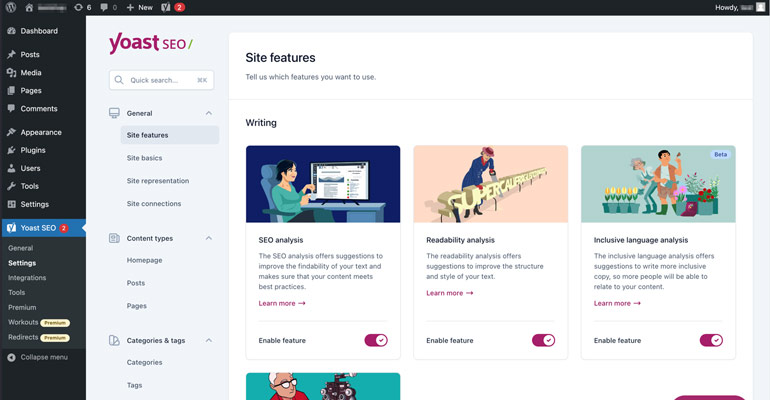
Yoast SEO is among the most widely preferred WordPress SEO plugins in the WordPress ecosystem. It meets both basic and advanced SEO needs. Yoast SEO stands out with its user-friendly interface. The key features of this plugin can be explained as follows:
- It enables automatic editing of .htaccess and robots.txt files.
- It provides customizable titles and meta descriptions for search results.
- It evaluates the structure of the content through readability analysis and suggests a clearer writing style.
- It automatically creates a sitemap to help search engines crawl the website more effectively.
- It provides navigation and SERP visibility through breadcrumb support.
- It provides professional use through a detailed analysis and recommendation system.
- Yoast SEO plugin can be used for free with its basic features. However, a premium version is also available for users who need more advanced SEO tools. With the premium version, you can benefit from many additional advantages such as 24/7 technical support, ad-free use, comprehensive SEO analyses, internal linking suggestions, and redirect management.
WordPress SEO Plugin – Rank Math
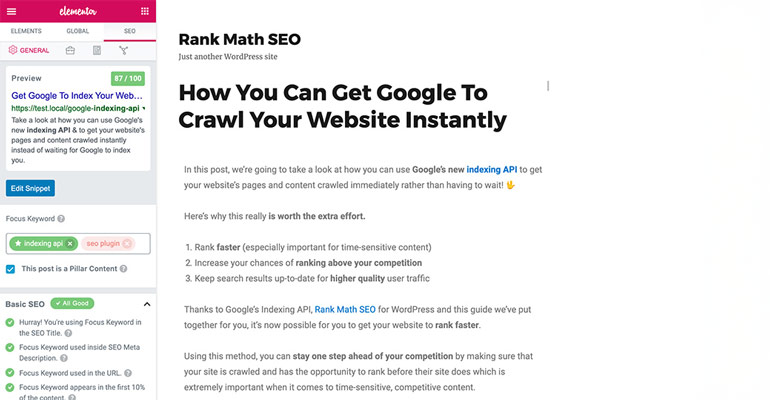
Rank Math is a WordPress SEO plugin that has quickly gained popularity thanks to its structure that makes the SEO configuration process smart and automated. Once installed, the plugin provides a setup wizard that guides users step by step, making it easy to configure basic SEO settings.
One of Rank Math’s standout features is its ability to automatically import data from previously used WordPress SEO plugins. This allows existing SEO settings to be transferred to the new plugin without being lost. The plugin also includes many useful features such as Google Search Console integration, adding custom icons for social media shares, and detailed SEO analyses.
In addition, one of the key advantages that makes Rank Math a preferred choice is its simple and easy-to-understand interface for users who do not have sufficient SEO knowledge. Another factor that makes Rank Math stand out is that some advanced features, which are usually offered as paid options in other WordPress SEO plugins, are included in its free version.
The key features can be listed as follows:
- It provides content optimization with multiple target keywords.
- Thanks to schema support, content can be displayed in search engines with rich snippets.
- The 404 monitoring and redirect management feature ensures that pages are redirected to the correct URL.
- Many premium features are available in the free version.
All in One SEO Pack
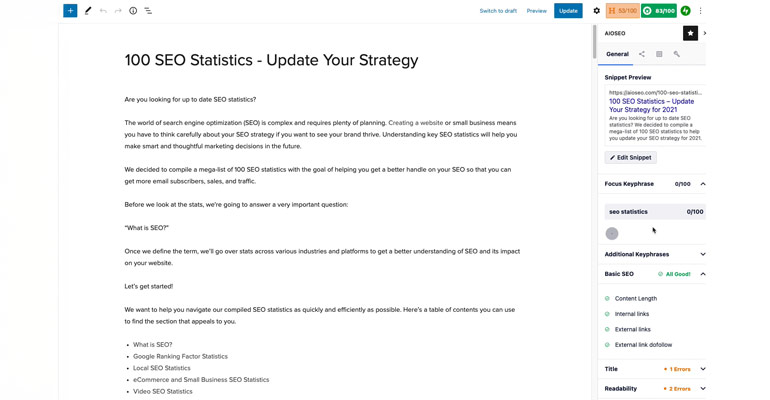
All in One SEO is a reliable option in the field of WordPress SEO. With its ease of use, it appeals to both beginners and professionals. The key features of the All in One WordPress SEO plugin can be explained as follows:
- It automatically generates meta tags.
- It creates the .htaccess file.
- With WooCommerce SEO support, product pages are specifically optimized for search engines.
- It offers Google AMP support.
- It stands out with its clean and simple interface.
- It offers XML sitemap support.
SEOPress Plugin
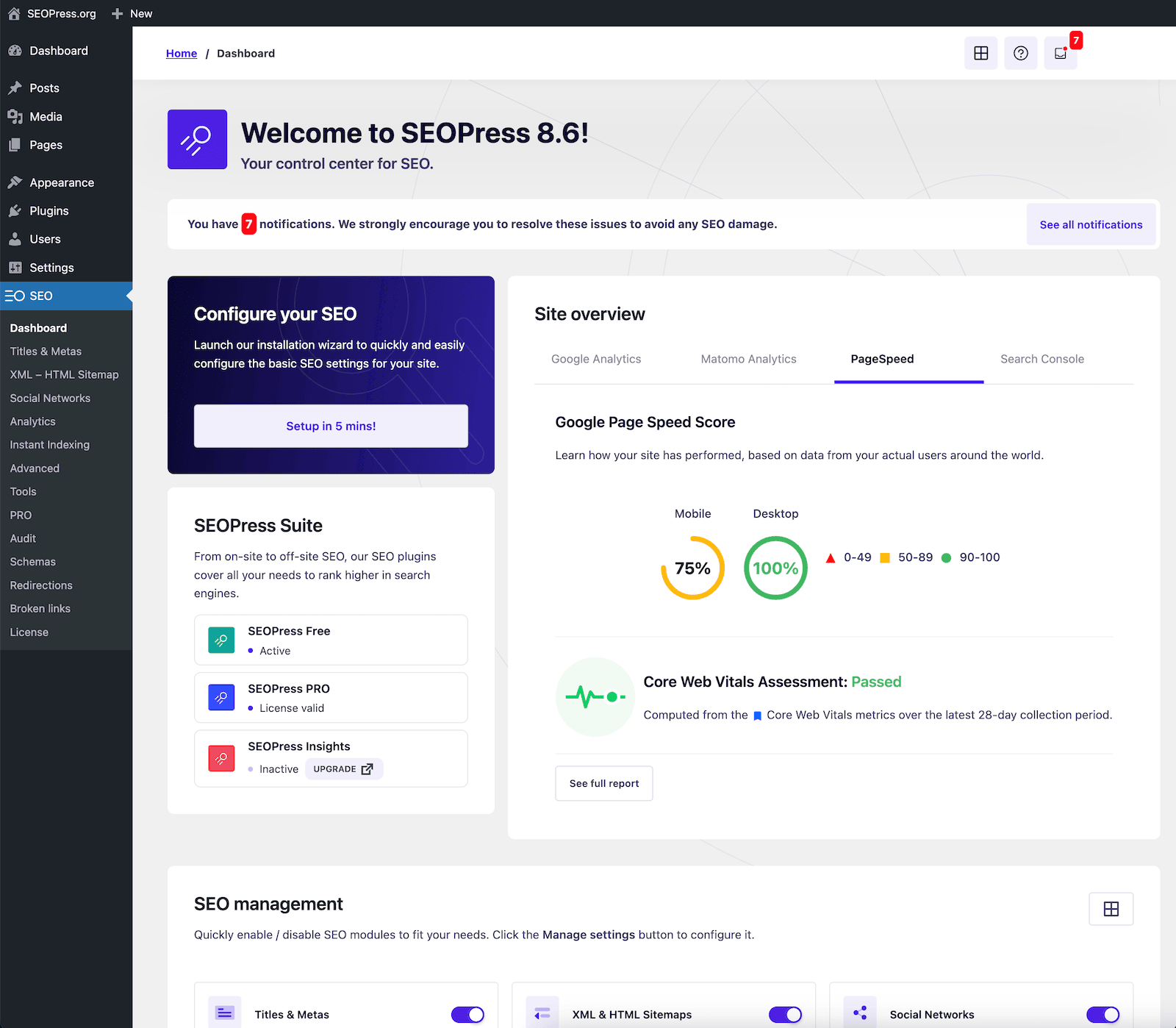
SEOPress is a WordPress SEO plugin that stands out with its simple interface and powerful features. Thanks to its easy setup structure, basic SEO settings can be completed in a short time. It offers many features such as data import from other WordPress SEO plugins, Google Analytics and Search Console integration, meta title and description editing, XML sitemap, and social media settings. With its ad-free and easy-to-understand interface, it can also be used comfortably by users with limited SEO knowledge. Its key features can be listed as follows:
- Article title and meta tag management
- XML and HTML sitemap creation
- Social media management and account integration
- Easy Google Analytics configuration
- Viewing Google Analytics statistics through the dashboard
- Structured data (Schema) support
- Creating 301 redirects through the admin panel
- .htaccess file editing
- Robots.txt file control and management
- Google keyword autocomplete suggestions
- WooCommerce product and category SEO management
- Broken link checker
The SEO Framework
The SEO Framework plugin provides users with fast and automated SEO solutions. The key features of this plugin can be listed as follows:
- Optimizing titles and meta descriptions with automatic SEO configuration
- Manual title and meta description editing option
- Clean and spam-free code structure
- Performance-friendly operating system that does not affect site speed.
- Color-coded SEO score indicators showing SEO status
- SEO-friendly and compatible URL structures
- Automatic XML sitemap creation
- Social media sharing settings and preview support
- Structured data (Schema) support
- Robots meta tag control (noindex, nofollow, etc.)
- Canonical URL management
- Google search engine-compatible structure
- Ad-free and simple admin pane
- Easy to use for beginners
- WooCommerce SEO support
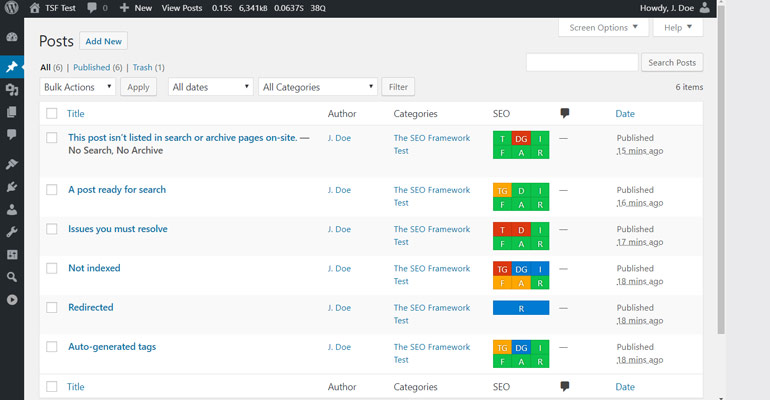
The main purpose of SEO plugins is to make websites more visible in search engines and reflect the optimization efforts to users in the most accurate way. In this process, using plugins instead of performing many SEO-related tasks manually both saves time and makes the process more efficient.
When the WordPress SEO plugins reviewed in this article are evaluated, it can be seen that All in One SEO and Yoast SEO offer more practical options in terms of usability. However, regardless of which plugin is preferred, researching the plugin in detail, configuring its settings correctly, and reviewing its official documentation will significantly increase the efficiency gained from SEO efforts.
Frequently Asked Questions
Can a website be optimized without a WordPress SEO plugin?
Technically, website optimization is possible. However, SEO plugins simplify management and help prevent errors. Making manual settings is both time-consuming and risky.
Is it enough to use the free version of a WordPress SEO plugin?
For many websites, free versions meet basic SEO needs. For larger projects, it is more appropriate to choose plugins with premium features.
Is it necessary to configure settings after installing an SEO plugin?
After installing a WordPress SEO plugin, configuring the basic settings is highly important. Site-specific title, description, and sitemap settings improve performance.